

Client Portal
YOUR PLAN. YOUR INFORMATION. ONE SECURE
PLACE.
Understand your NDIS plan with confidence
See your funding, invoices and spending in one easy-to-use portal. The Manage Mode Client Portal, helps you stay informed and in control.

01
Know what is available
See total funding, remaining balances and category-level budget information.
02
Review invoices clearly
View processed and pending invoices, service dates, amounts and supporting
documents.
03
Track spending over time
Understand monthly activity, funding
releases and projected plan outcomes.
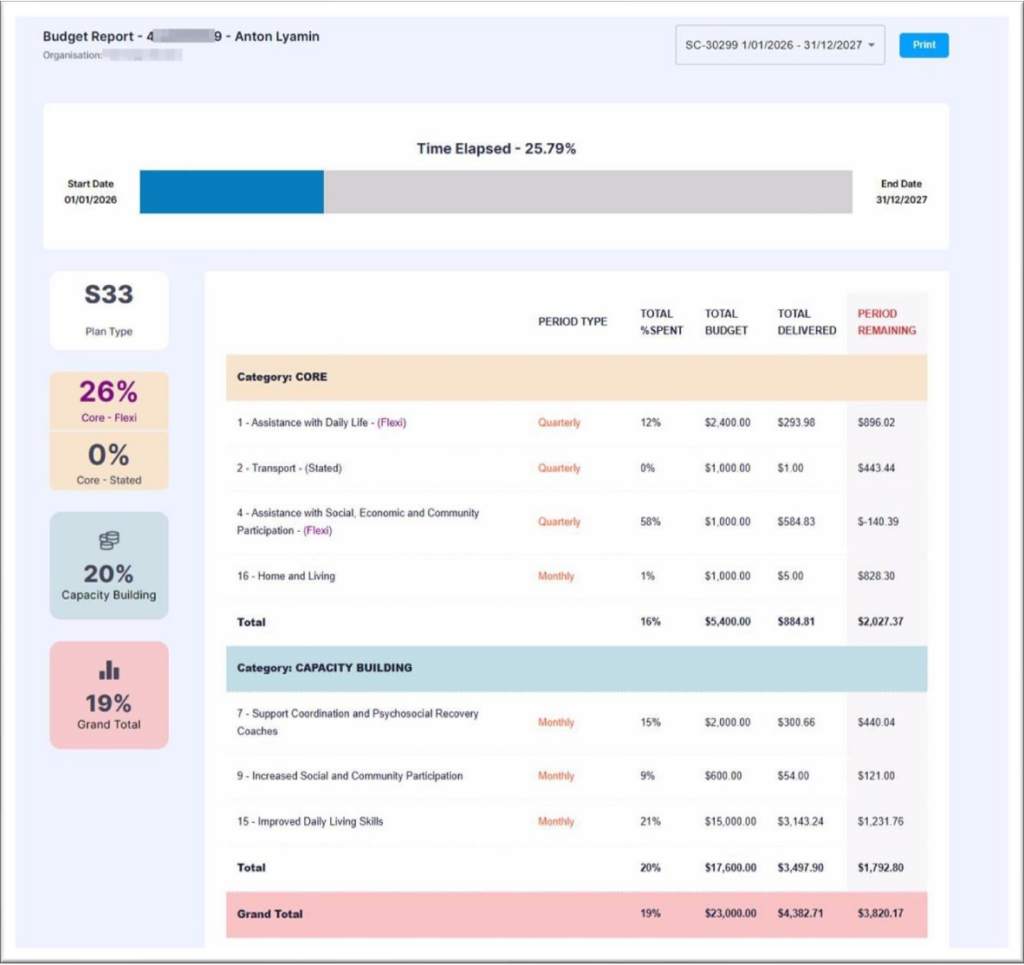
FUNDING OVERVIEW
Understand your NDIS plan with confidence
Your portal brings the most important plan information
together in one clear view, making it easier to
understand how your funding is tracking.
- Total plan funding and remaining available funding
- Budget use by support category
- CORE Flexible and stated funding balances Plan dates, time elapsed and overall utilisation
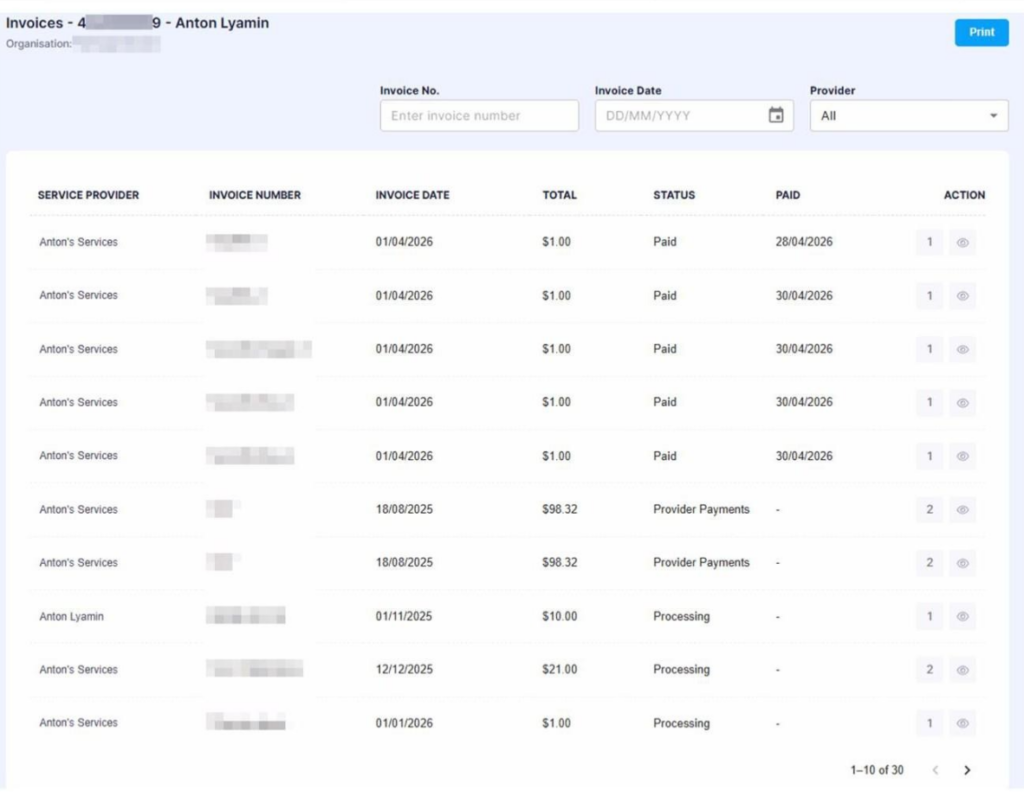
INVOICE VISIBILITY
Review invoices with greater clarity
Stay informed about what has been claimed from your
plan. You can review invoice details and open the
original invoice or supporting documents whenever
they are available.
- Provider and invoice number
- Claimed amount and service dates
- Current invoice and payment status
- Original invoice PDF and supporting documents
- Approve invoices directly where approval access has been enabled
SCHEDULED FUNDING
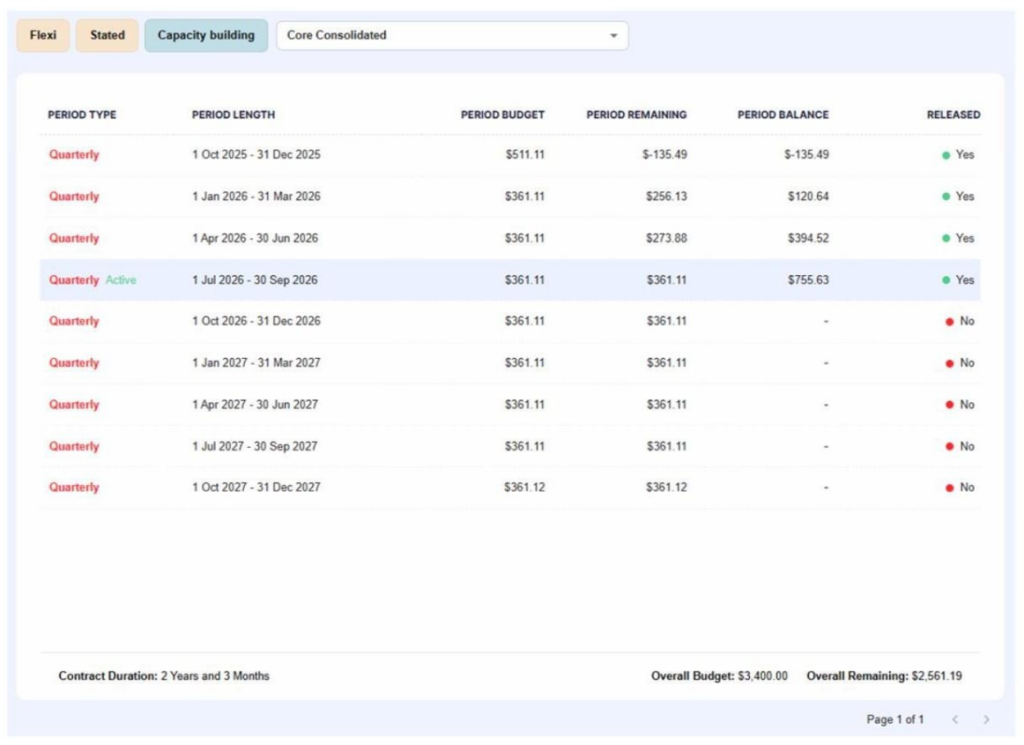
Understand when funding becomes available
Some NDIS plans release funding in scheduled
periods. The portal shows which periods have been
released, what remains in the current period and how
unspent amounts carry forward.
- Released and future funding periods
- Period budget and remaining balance
- Current cumulative available funding
- Flexible, stated and capacity-building views
PLAN AHEAD
See where your budget may be heading
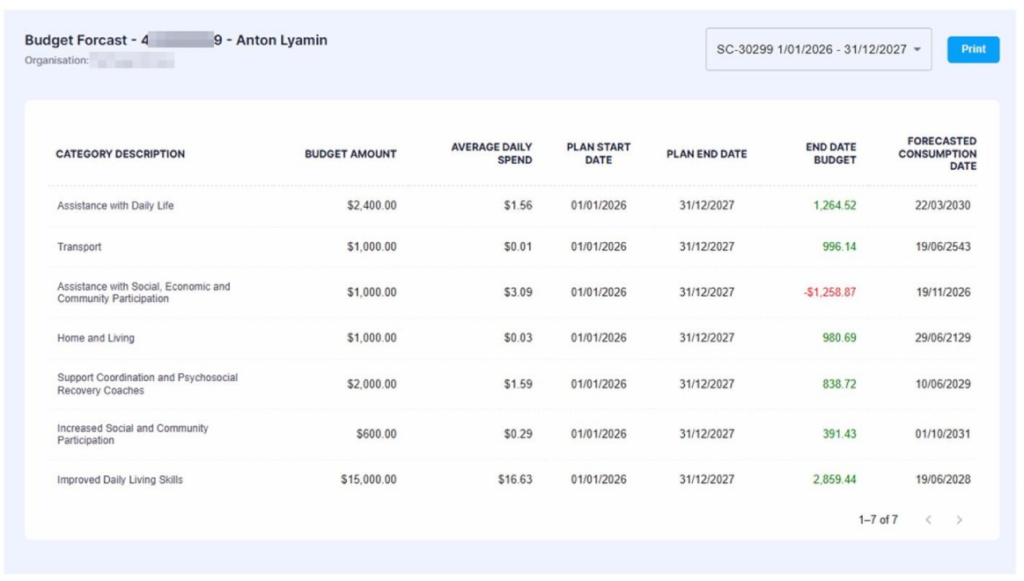
Forecasting uses current spending patterns to
estimate how each budget may track across the life of
the plan. This can help you raise questions early and
make informed choices with your support network.
- Average daily spending by category
- Projected end-of-plan balances
- Expected underspend or overspend
- Category-level forecasts and likely consumption dates
Forecasts and estimated consumption dates are estimates only, based on the plan spend to date.
SPENDING INSIGHTS
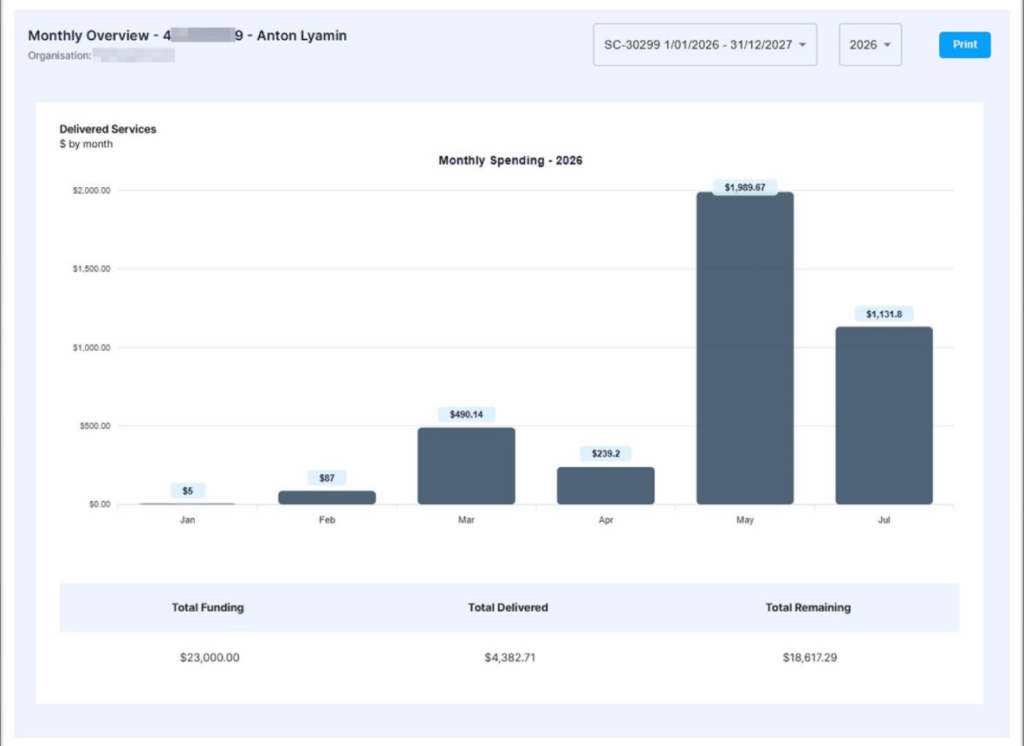
Follow spending patterns month by month
A simple monthly view makes it easier to see how
spending changes over time and to understand the
relationship between total funding, delivered supports
and the remaining balance.
- Monthly expenditure
- Historical spending trends
- Total delivered supports
- Current remaining funding
SUPPORTING BENEFITS
Everything you need to stay informed
One secure login
Access your plan information without moving between
separate reports or email updates.
Clear documents
Open original invoice PDFs and supporting files directly
from the relevant invoice.
Flexible budget visibility
See CORE Flexible, stated and category-level balances
in the same portal.
Less waiting for updates
Use current portal information when you need to check a
balance or recent claim.
SIMPLE ACCESS
How it works
01
Know what is available
See total funding, remaining balances
and category-level budget information.
02
Review invoices clearly
View processed and pending invoices, service dates, amounts and supporting
documents.
03
Track spending over time
Understand monthly activity, funding
releases and projected plan outcomes.
Frequently Asked Questions
Yes. The portal displays total funding, remaining funding and category-level balances based on information available in the
system.
Yes. You can option to do this via the portal, app or even text/email.
Where documents have been uploaded, the original invoice PDF and supporting documentation can be opened from the
invoice record.
Some plans release funding in stages rather than making the full amount available at once. The portal shows released
periods, future periods and cumulative available funding.
Use the portal help link or contact the Manage Mode team so your access details can be checked.
Your plan information is ready when you are
Log in to review your funding, invoices and spending, or contact Manage Mode if you need helpaccessing the portal.