


Provider Portal
Payment visibility without the follow- up
Track invoices, payment status, remittance references and service agreements through the Manage Mode Provider Portal.

01
Track every invoice
02
Reconcile payments faster
03
Monitor agreements
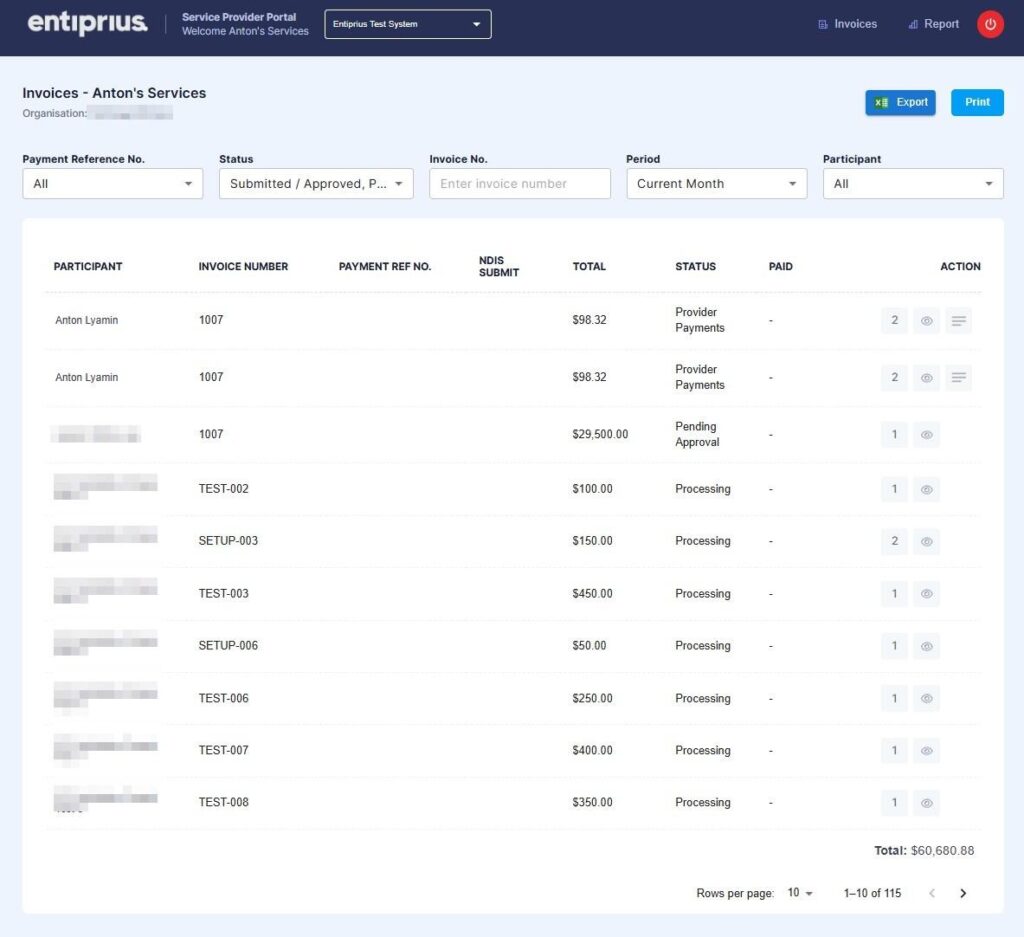
See the status of every submitted invoice
The Provider Portal gives administrative and finance
teams a clear view of invoices submitted through
Entiprius Easy Care, without needing to contact the
plan manager for routine status updates.
- Invoice number and participant
- Service period and invoice amount
- Processing, approval and payment status
- Payment date and payment reference number
- Original invoice PDF and supporting documents
Find the invoice you need in seconds
- Payment status or payment reference
- Invoice number
- Participant name
- Service period
- Custom date range
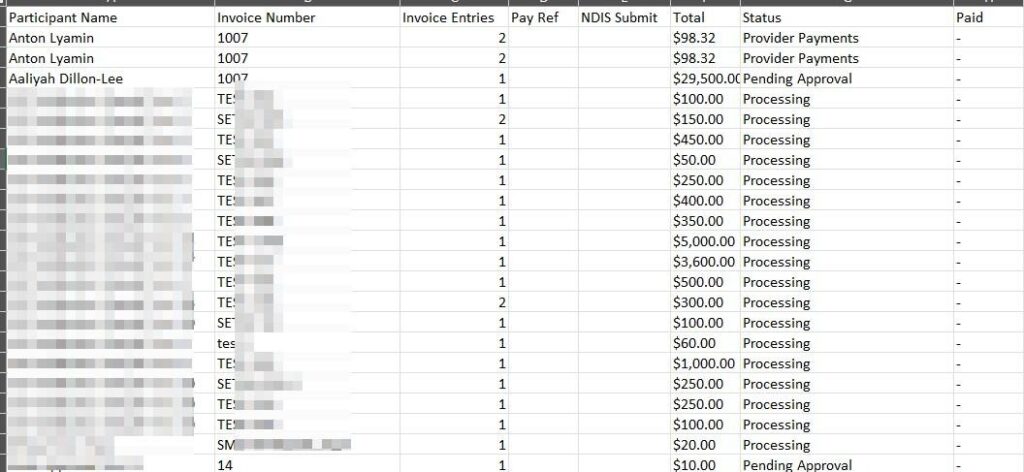
Match bank deposits to invoice records faster
- Invoice and participant details
- Payment reference numbers
- Payment dates and invoice totals
- Payment status
- Exportable register for reconciliation
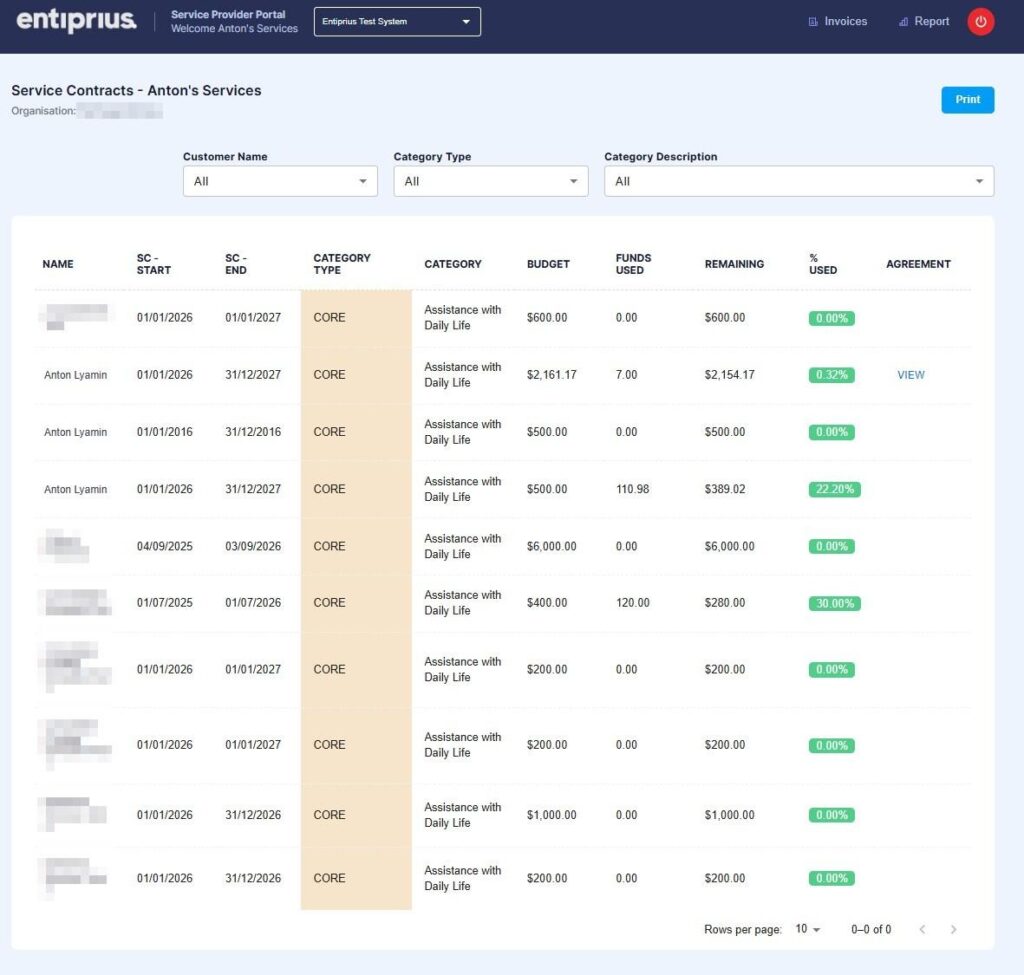
Monitor service agreements and reserved funding
- Signed service agreement documents
- Agreement start and end dates
- Allocated and utilised funding
- Remaining agreement balance
- Reserved funding shown in the portal as quarantined funding
Built for efficient supplier administration
How it works
01
Log in securely
Open the Provider Portal from the
Manage Mode website.
02
Search or filter
03
Review or export
Frequently Asked Questions
The portal can display invoice number, participant, service dates, amount, status, payment date, payment reference and available supporting documents.
Yes. Payment references, dates and totals can be viewed in the portal, and the invoice register can be exported for reconciliation.
It refers to funding reserved against an applicable service agreement.
Where a service agreement and supporting documents are held in the portal, they can be accessed alongside the relevant agreement information.
Check the invoice details and documents first, then contact Manage Mode with the invoice number and participant details so the team can investigate.
Spend less time chasing payment updates
Log in to track invoices and payments, or contact Manage Mode if you need help accessing the Provider Portal.